
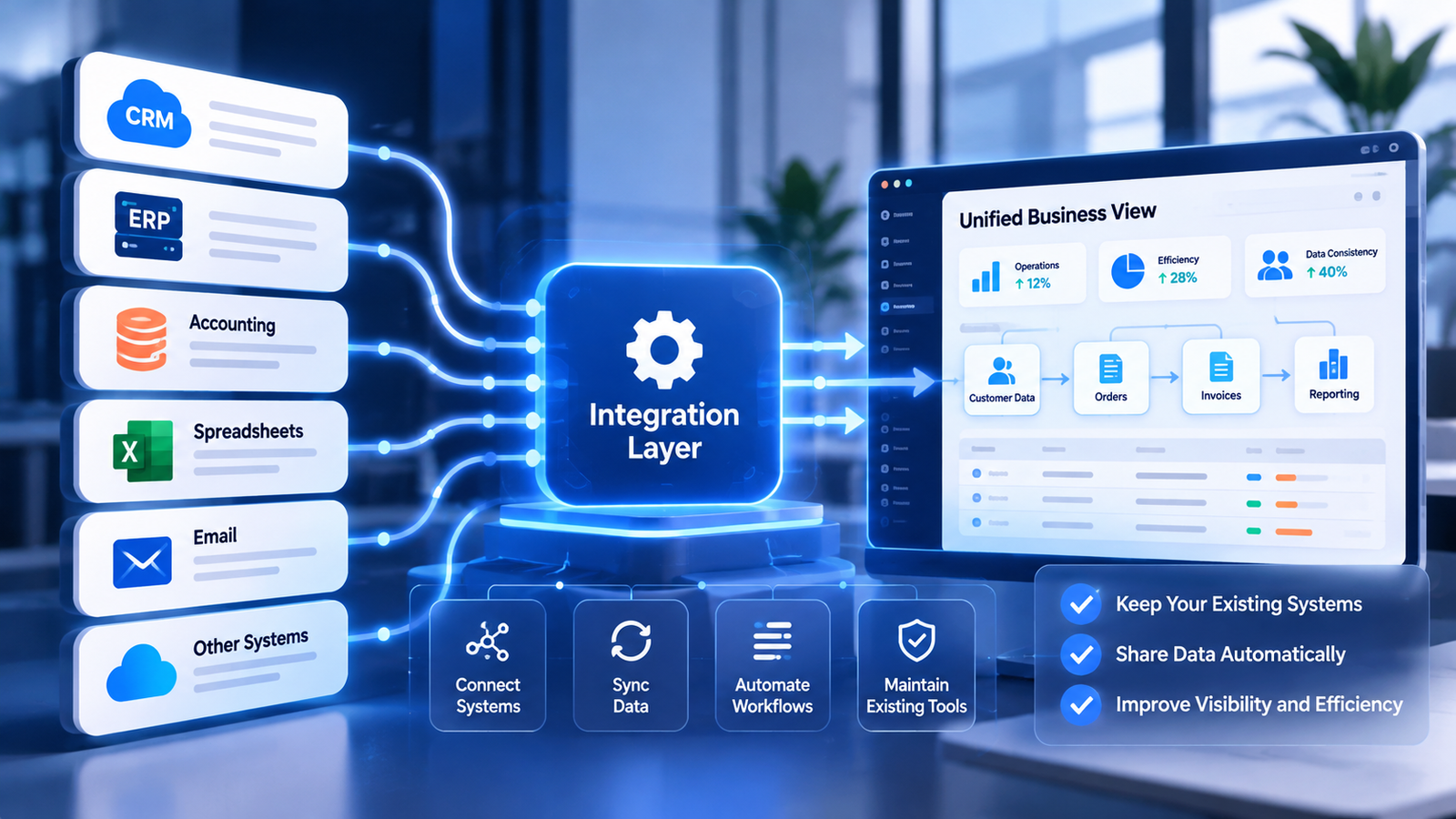
Businesses rarely operate through a single application. Customer information may live in a CRM, orders in an ERP platform, financial records in an accounting system, and operational updates in spreadsheets or internal tools.
Individually, these applications may work well. Problems emerge when information must move between them.
Business systems integration creates reliable connections between applications, data, and processes so that employees can work with more consistent information and fewer disconnected activities.
What Is Business Systems Integration?
Business systems integration is the process of connecting software applications, databases, and business workflows so they can exchange information and support shared operational processes.
Integration may involve commercial SaaS platforms, legacy applications, internally developed software, and cloud services.
It does not necessarily require replacing the systems a company already owns.
Why Disconnected Applications Become an Operational Problem
Repeated Data Entry
Employees copy customer details, transaction records, and project information between applications. This consumes time and increases the possibility of inconsistent records.
Conflicting Information
When several applications maintain separate versions of the same customer or order data, teams may be unable to identify which record is authoritative.
Limited Process Visibility
Managers may see information within individual platforms but lack visibility across the complete business process.
Fragile Manual Workarounds
Spreadsheets, exported files, and informal messages may become essential links between systems. These arrangements can become difficult to maintain as transaction volumes grow.
What Does a Connected Business Architecture Look Like?
A well-designed integration architecture defines how information enters the business, where it is stored, how it changes, and which systems are responsible for particular data.
For example, a new customer enquiry may enter through a website, be recorded in a CRM, create a quotation workflow, trigger an operational task, and later contribute to management reporting.
Each step should have clear ownership, validation rules, and error-handling procedures.
Common Integration Methods
API Integrations
Application programming interfaces allow software platforms to exchange information through supported interfaces. APIs are often the preferred integration method when suitable endpoints and permissions are available.
Webhooks and Event-Driven Workflows
Webhooks can notify connected services when relevant events occur, reducing the need for constant manual checks.
Workflow Automation
Automation platforms can coordinate actions across applications, apply business rules, transform records, and manage operational tasks.
Custom Integration Services
Python and other software technologies can support custom data processing, specialized API communication, validation, and integration requirements that packaged connectors do not cover.
Scheduled Data Synchronization
Some use cases require controlled batch transfers rather than immediate event processing. The appropriate approach depends on data volume, business requirements, and system capabilities.
Five Principles of Reliable Systems Integration
- Define data ownership. Identify which application is authoritative for each important record.
- Validate inputs. Prevent incomplete or incorrectly formatted information from spreading.
- Design for failures. Include retries, error reporting, and recovery procedures where appropriate.
- Protect access. Use suitable authentication, permissions, and credential management.
- Document the architecture. Make connections, dependencies, and operational responsibilities understandable.
Example: Connecting Sales and Operations
Consider a business that uses one application for customer management and another for project delivery.
When a sales opportunity becomes a confirmed order, a connected workflow can validate the relevant information, create an operational record, assign a responsible team, and record the outcome.
If the target application rejects the request, the integration should preserve enough information to diagnose the failure and support recovery.
This approach turns a sequence of isolated manual actions into a defined business process.
When Custom Software Is Needed
Standard integrations are not always sufficient. Businesses may need custom applications, internal dashboards, specialized validation services, or connectors for systems with unusual interfaces.
Custom development should solve a clearly identified operational requirement rather than duplicate capabilities already available in the existing software stack.
How FEELINNOVATIONS Connects Business Systems
FEELINNOVATIONS designs and develops custom business software, integrations, and workflow automation.
We examine existing applications, identify information flows, define integration requirements, and implement connections using appropriate technologies such as APIs, webhooks, Python, databases, and n8n.
The objective is to build a connected operating environment that supports the business without unnecessary software replacement.
Make Your Existing Technology Work Together
Replacing every application is rarely the only path to better operations. A carefully designed integration architecture can extend the value of existing systems while creating a foundation for future automation and AI capabilities.
FEELINNOVATIONS provides Custom Business Software & Systems Integration solutions for organizations that need connected applications, reliable data flows, and operational automation.